Understanding what does restricted on Instagram mean is a vital step for anyone looking to curate their digital space. When you decide to restrict someone, you are essentially creating a buffer zone that allows you to maintain social contact without the intrusion of unwanted interactions.
This feature acts as a nuanced alternative to blocking, offering a way to manage your profile visibility and engagement levels.
By learning how this tool functions, you gain more control over your feed, your comments section, and your direct messages.
Whether you are dealing with persistent spammers or simply need a break from a specific acquaintance, knowing the mechanics behind this setting is essential for a more peaceful and intentional social media experience.
Meaning and Definition of What Does Restricted on Instagram Mean
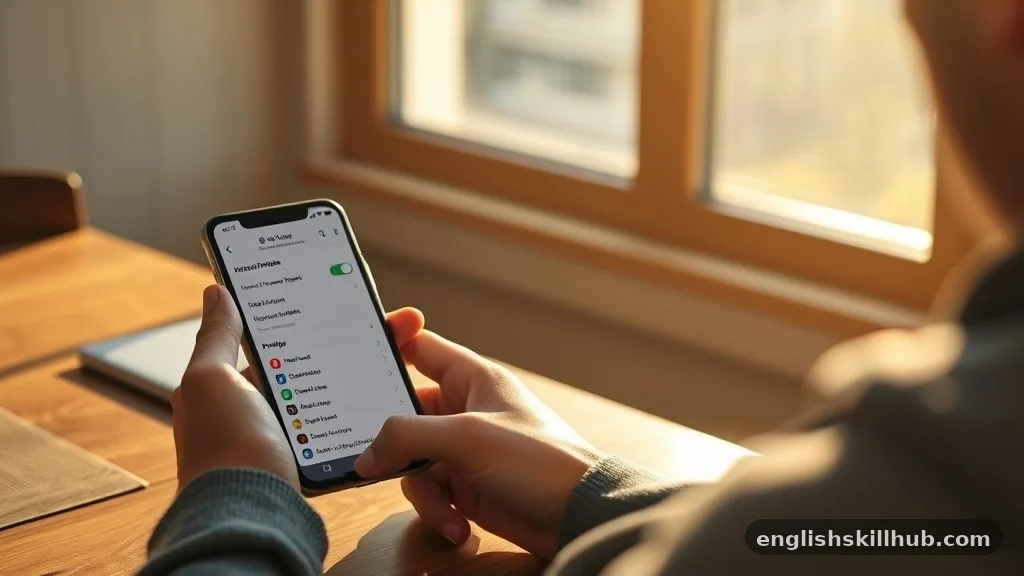
When you ask what does restricted on Instagram mean, you are inquiring about a middle-ground privacy setting designed to protect users from unwanted interactions without alerting the other person. Unlike a block, which severs all ties, restriction is a subtle way to limit how a specific user interacts with your content.
When you restrict someone, their new comments on your posts are only visible to them, unless you approve them manually. This gives you the power to filter your public-facing feed without engaging in a public confrontation or sending a notification that you have taken action.
Additionally, messages from a restricted user are moved into your message requests folder. This is a crucial distinction because it means the person will not see when you have read their messages, nor will they see your active status when you are online. The interaction remains one-sided in terms of visibility.
You still see their content if you choose to, but they lose the ability to see yours in a way that might suggest you are ignoring them. It is a tool for digital boundary-setting that prioritizes your comfort over the immediate gratification of the other user.
Background and Origin
The feature emerged as a response to the growing need for better anti-bullying and anti-harassment tools on social platforms. Developers realized that for many users, the binary choice between being fully connected and being entirely blocked was too extreme.
People often felt pressured to keep connections open with individuals who made them uncomfortable, simply because blocking them would cause social friction or retaliation. By providing a way to limit reach silently, the platform aimed to empower those who felt vulnerable.
This development reflects a broader shift in how social media companies perceive their responsibility toward user safety. Instead of forcing users to deal with toxic behavior head-on, the platform provides tools that allow for passive management.
The term became widely recognized as users sought ways to curate their online presence more carefully. It moved the power dynamic from the harasser back to the individual, allowing for a quieter, more controlled digital environment where the user can decide exactly how much influence others have on their daily experience.
Usage in Different Contexts
In general social settings, people use this feature to deal with acquaintances who might be overly critical or simply too persistent in their outreach. If someone is constantly commenting on your photos with unsolicited advice, restricting them allows you to keep the peace while stopping the noise.
You are not deleting them from your life, but you are effectively turning down the volume on their input. This is a common strategy for maintaining professional or familial relationships where total disconnection is not an option.
In professional fields, some creators use this to filter out spam or bot-like activity that clutters their comment sections. By restricting accounts that post irrelevant links or repetitive slogans, a brand or individual can ensure their audience sees genuine engagement.
It functions as a soft filter, keeping the space professional while avoiding the optics of censorship that might come from mass-blocking. It is a tactical approach to community management that values the signal over the noise.
Specific Nuances in WhatsApp, Instagram, and TikTok
The concept of restriction varies slightly across different platforms, though the core goal remains the same. On Instagram, the feature is deeply integrated into the messaging and commenting system.
When you tap restrict, the system immediately offloads the user’s influence on your public profile. On other platforms, the terminology might differ, but the underlying mechanics often aim to achieve similar results.
Platform Comparison Table
| Feature | TikTok | ||
|---|---|---|---|
| Comment Visibility | Only visible to them | N/A (No public comments) | Limited visibility |
| Read Receipts | Hidden | Turned off globally | Hidden status |
| Message Folder | Requests | Archive/Block | Filtered Inbox |
While Instagram offers a granular approach to managing comments, WhatsApp focuses more on privacy settings like read receipts, as it lacks a public social feed.
TikTok, meanwhile, provides tools to filter keywords and restrict specific accounts from commenting on videos. Understanding these variations helps you tailor your privacy strategy to the specific norms and tools available on each application you use.
Technical Analysis of Digital Restrictions
From a technical perspective, what does restricted on Instagram mean involves a database flag attached to the relationship between two user IDs.
When you set this flag, the server logic for your profile changes how it displays information for that specific pair of users. It is essentially a conditional rendering instruction: “If user X views post Y, and user X is restricted by the owner, do not render comments from user X.”
This server-side filtering is what keeps the restriction invisible to the restricted party. Because the change happens at the data delivery layer rather than the account level, the restricted user sees their own comments as if they were posted normally. They have no way of knowing that their words are essentially invisible to everyone else.
This technical invisibility is the cornerstone of the feature’s effectiveness, as it prevents the restricted user from realizing they have been relegated to a restricted status. You can find more information about these types of safety features through the official Meta safety resources.
Common Misconceptions Regarding Restrictions
One of the biggest misconceptions is that the restricted person will receive a notification. Many users fear that by restricting someone, they will spark a confrontation. In reality, the platform is designed to be silent.
The restricted user can still see your profile, follow you, and see your stories; they just lose the ability to see when you are active or when you have read their messages. They are kept in the dark, which is the primary reason this tool is so popular.
Another misconception is that restricting someone prevents them from seeing your content entirely. This is incorrect. A restricted user can still see your posts and stories, provided your account is public or they are already following you.
Restriction is not a privacy lock for your content; it is a filter for their interaction with you. If you want to hide your content, you must make your account private or use the “Close Friends” feature for stories.
Similar Terms and Alternatives
Several alternatives exist if you decide that restriction is not enough. Blocking is the most definitive, as it completely severs the connection, hides your profile, and prevents any further interaction.
Muting is another option, which allows you to hide someone’s posts and stories from your feed without them knowing. This is useful if you don’t want to engage with someone’s content but don’t necessarily want to limit their ability to interact with yours.
- Blocking: Completely cuts all ties and visibility.
- Muting: Hides their posts/stories from your feed.
- Restricting: Filters their comments and hides your read status.
- Close Friends: Limits who sees your private stories.
- Private Account: Limits your audience to approved followers only.
Each of these tools serves a different purpose. Choosing the right one depends on whether you want to stop seeing their content, stop them from seeing yours, or simply stop them from interacting with you directly.
Responding When Someone Uses Restriction
If you suspect you have been restricted, the best approach is to remain professional and avoid confrontation. Because the restriction is meant to be silent, bringing it up to the other person often causes unnecessary tension.
If you notice your comments are not getting likes or replies, or if your messages remain unread for an extended period, it may be a sign that you have been restricted or simply that the person is busy.
Respecting boundaries is key in digital communication. If someone has taken steps to restrict their interaction with you, it is usually a clear sign that they need space.
Forcing the issue by messaging from other accounts or asking why you have been restricted will likely lead to a full block. Instead, focus on your own connections and interactions with people who are actively engaging with you.
Differences Between Terms and Synonyms
People often confuse restriction with muting or blocking. The primary difference lies in the direction of the control. Muting is about what you see; you are filtering your own experience to avoid someone’s content.
Blocking is a total barrier; it stops all traffic in both directions. Restriction is a hybrid; it allows for a limited, controlled interaction that benefits the owner of the profile while keeping the restricted user unaware of the change.
Understanding these distinctions allows you to choose the right level of privacy for any situation. you are being harassed, blocking is usually the best choice.
If you are dealing with a coworker whose posts are annoying but who you must interact with, muting is appropriate. If you are dealing with a persistent commenter who won‘t take a hint, restricting is the most effective middle ground.
Relevance in Modern Online Conversations
In the landscape of modern dating apps and social networks, these tools are essential for maintaining mental well-being. People are constantly exposed to hundreds of interactions daily, and the ability to filter that influx is a necessary skill.
Digital shorthand like “restricted” helps us manage our social energy. It allows us to participate in global conversations while still maintaining a private, curated space for our thoughts and personal photos.
As we continue to live more of our lives online, the importance of these boundaries will only grow. Being able to define what does restricted on Instagram mean is more than just knowing a settings menu; it is about understanding how to protect your peace. By using these tools wisely, you ensure that your digital experience remains a positive and manageable part of your life rather than a source of stress or anxiety.
Understanding the nuance of digital tools is a critical aspect of modern social interaction. As platforms evolve, so too must our understanding of how to manage our presence and protect our privacy. Knowing what does restricted on Instagram mean empowers you to curate your online environment effectively, ensuring that your interactions remain meaningful and stress-free.
By using these features, you are not just managing settings; you are actively deciding who has access to your time and attention. If you ever feel overwhelmed by the noise of social media, remember that these tools are there to help you regain control.
Take the time to audit your connections, set the boundaries that make you feel comfortable, and enjoy a more intentional digital experience. Feel free to explore your settings today to see which connections might benefit from a more filtered approach.
FAQs
1. What does restricted on Instagram mean?
When someone restricts you on Instagram, your interactions with them become limited. Your comments may only be visible to you unless they approve them, and your messages may move to their message requests.
2. Can a restricted person see my Instagram story?
Yes. Restricting someone does not automatically hide your stories from them. They can still see your story if your privacy settings allow it.
3. Can someone know if I restrict them on Instagram?
Instagram does not send a notification when you restrict someone. However, they may notice changes, such as not being able to see your activity status or read receipts.
4. What happens to messages when someone restricts you on Instagram?
Your messages may go to the other person’s Message Requests instead of their main inbox. They can read your message without you seeing a read receipt.
5. Can a restricted person see when I am online?
Usually, restricting someone limits their ability to see your active status. They may also be unable to see when you have read their messages.
6. What is the difference between restricted and blocked on Instagram?
Restricting someone limits their interactions with you without completely cutting off access. Blocking is stronger and prevents the person from viewing or interacting with your profile in the normal way.
7. Can I still see someone’s posts if they restrict me?
Yes. Being restricted does not normally prevent you from viewing the person’s posts. Restriction mainly limits how you can interact with them.
8. Does restricting someone remove their comments?
No. Their comments are not automatically deleted. A comment from a restricted account may be visible only to that person until you choose to approve it for others to see.
Conclusion
Understanding what does restricted on Instagram mean can help you recognize the difference between restricting, blocking, and simply muting someone. Restricting is designed to quietly limit interactions without completely removing the person from your Instagram experience.
A restricted person may still be able to view your posts and stories, but their comments and messages can have limited visibility. Instagram also does not notify someone when they have been restricted, making the feature less obvious than blocking. If you want to reduce unwanted interactions without taking the more noticeable step of blocking someone, the Restrict feature can be a useful option.